 1 / 2
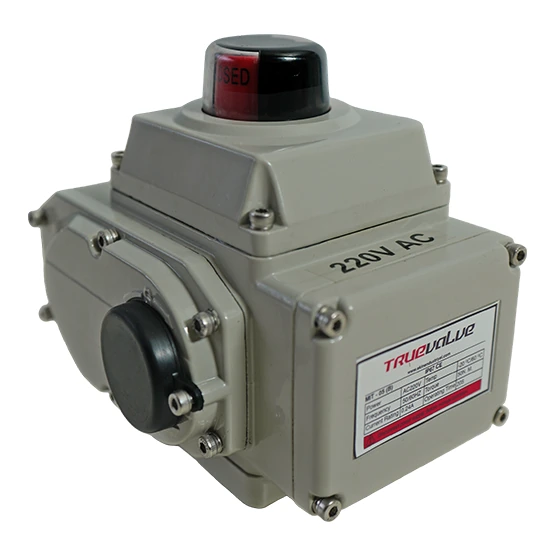
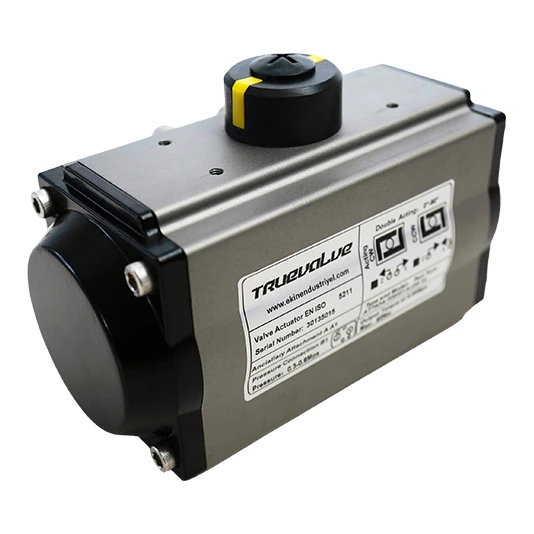
Pneumatic Valve Actuator — product view

Pneumatic Valve Actuator
Single- or double-acting compressed-air drive
Compressed air powers the valve movement. A spring provides the return stroke in a single-acting unit, while air drives both directions in the double-acting version. Specify the required air-failure position together with actuator configuration and installation orientation.
Final selection requires the complete product code and the service conditions.
UNDERSTAND THE APPLICATION
A solution for your application.
Application areas
Process lines with instrument air · Remotely operated isolation valves
Selection considerations
Check valve torque, mounting interface, supply and required failure position.
Identify the valve to be driven, including its code, stem dimensions and mounting pattern. Body size alone does not establish a match.
MANUFACTURER DATA
Technical specifications
| Actuation | Single- or double-acting |
| Housing | Extruded aluminium |
Determine torque or thrust at the most demanding operating condition. Check the actuator output against the manufacturer’s data for the available supply and travel.
DOWNLOADABLE RESOURCES
Technical documents
Open manufacturer PDFs directly from our website and save them to your device. Check the model and document revision.
Frequently asked questions
Does a loss of air necessarily close the valve?+
Not in every configuration. The spring direction and valve mounting must deliver the required failure position.
Which data should accompany an enquiry?+
Provide minimum available air pressure, required valve torque, mounting interface and target cycle time.
What should I verify before specifying Truevalve Pneumatic Valve Actuator?+
Determine torque or thrust at the most demanding operating condition. Check the actuator output against the manufacturer’s data for the available supply and travel.
What should I include in my quotation request?+
Valve code, stem and mounting interface; Torque or thrust and travel; Supply, control signal and fail position. For replacement equipment, also provide the nameplate and connection dimensions.
Where can I check the technical drawing and dimensions?+
Open the manufacturer PDF in the Technical Documents section. Match the relevant entry to the product type, nominal size and variant code. Not every option in a family catalogue belongs to the same product.
EXPLORE THE CATALOGUE